
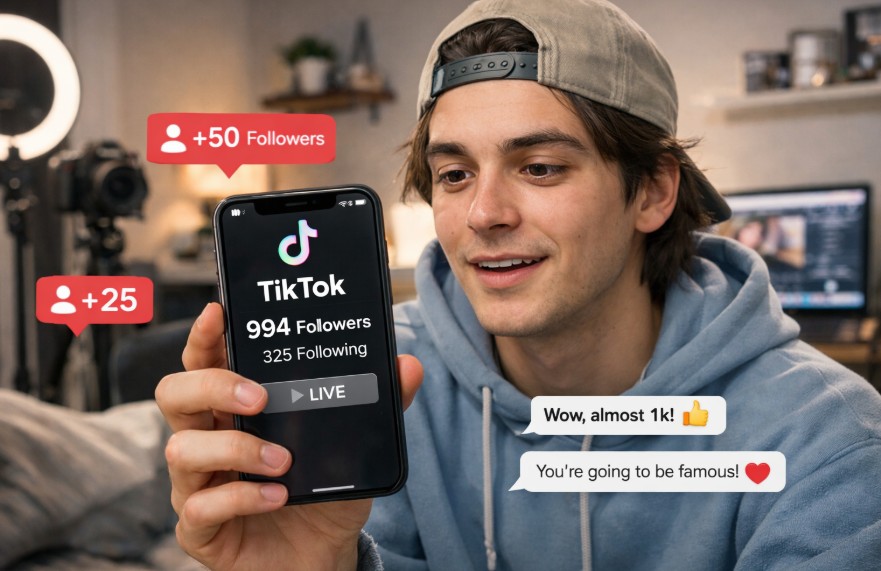
If you want to go live on TikTok in 2026, you usually need at least 1,000 followers and must be 18 years old. That is the standard requirement for most users in the UK and other regions, although some accounts may receive access earlier through testing or account-based exceptions.
Key Takeaways
- Most users need 1,000 followers before the LIVE button appears
- You must usually be at least 18 years old to stream and receive gifts
- Some accounts can unlock LIVE earlier because of regional testing
- A clean account history can affect whether TikTok grants access
- If LIVE is missing, you can report the issue through the app
How Does TikTok Decide When You Can Start a LIVE Stream in 2026?
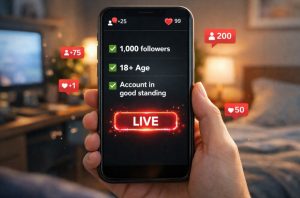
TikTok still uses follower count as the main requirement for unlocking LIVE in 2026. For most users, the feature becomes available after reaching 1,000 followers.
This is the standard threshold across the UK and most other regions, even though TikTok now describes it as a local minimum that may vary between accounts.
In reality, reaching 1,000 followers is not always the only factor. TikTok appears to review several signals before deciding whether to enable LIVE. Some users gain access earlier, while others need to wait a few extra days after hitting the target.
Key points to understand include:
- Most accounts unlock LIVE at 1,000 followers
- TikTok may test lower limits in certain regions
- Some users report getting access with 500 followers or less
- The LIVE feature does not always appear immediately
- Account history and engagement may influence when LIVE is unlocked
One new TikTok user explained that they had been trying to unlock the feature for weeks. “I reached the follower target faster than I expected. I still had to wait a few days before the option appeared. Once it arrived, it worked normally.”
What Other Requirements Must You Meet Before You Can Go LIVE on TikTok?
Follower count is only one part of the process. TikTok also checks your age, account status, and whether your profile follows the platform’s rules before giving you access to LIVE.
You must usually be at least 18 years old to host a livestream. TikTok also requires users to be 18 before they can send or receive virtual gifts during a LIVE session. In South Korea, the age requirement is 19. TikTok may ask you to confirm your age before enabling LIVE.
This can happen through:
- Uploading an ID document
- Facial age estimation
- A card verification check
Your account must also be in good standing. Even if you have more than 1,000 followers, TikTok can remove or block LIVE access if your account has recent guideline breaches.
Problems that may stop you from going live include:
- Copyright violations
- Repeated reports from other users
- Spam behaviour
- Posting content that breaks community rules
TikTok also appears to favour accounts that have been active for a while. A profile with regular posts and natural engagement often gains access more easily than an account that has just reached 1,000 followers.
Why Can Some Users Go Live on TikTok Without 1,000 Followers?
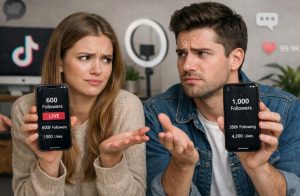
Although TikTok officially says you need 1,000 followers, many users have reported that they received LIVE access earlier. TikTok has never fully explained why this happens, but several patterns appear repeatedly across creator reports and support guidance.
Is TikTok Testing Lower Follower Limits in Certain Regions?
TikTok often tests new features in selected countries before rolling them out more widely. Because of this, some users in certain regions appear to gain LIVE access with fewer than 1,000 followers.
Reports from creators suggest that TikTok may temporarily lower the threshold to:
- 500 followers
- 300 followers
- In rare cases, even 100 followers
These lower limits are not available to everyone. They seem to appear during temporary platform tests or in regions where TikTok wants to encourage more livestreaming activity.
TikTok itself now avoids giving one global number in its support pages. Instead, it says users must meet a local follower threshold. That wording suggests the number can change depending on your country or account type.
A UK creator recently described their experience after unexpectedly seeing the LIVE option appear. “I only had around 600 followers when the button appeared. I thought it was a glitch at first. A week later, it was still there and working.”
Can Strong Engagement or Account History Unlock LIVE Early?
Follower count is important, but it may not be the only signal TikTok uses. Many creators who unlocked LIVE early had something else in common. Their accounts were active, consistent, and had strong engagement.
TikTok appears to trust accounts that:
- Post regularly
- Receive comments and shares
- Avoid fake followers
- Follow community rules
- Have been active for several months
For example, an account with 700 followers but strong video engagement may look more trustworthy to TikTok than an account with 1,200 followers and very little activity.
TikTok may also use account age as part of the decision. Some creators report that newer accounts rarely get early access, while accounts older than 30 days sometimes do.
It is important to avoid shortcuts such as buying followers. Purchased followers often do not interact with your videos, which creates an obvious gap between your follower count and your engagement. TikTok may view that as suspicious and could delay or remove LIVE access completely.
One small business owner who uses TikTok for product videos shared their experience. “I never bought followers because I wanted real engagement. I posted every day for a month and replied to every comment. The LIVE feature appeared when I had fewer than 900 followers.”
Does Contacting TikTok Support Help You Get LIVE Access Faster?
Some users claim that they unlocked LIVE by using TikTok’s “Report a Problem” feature. This method is not officially guaranteed, but it appears often in user discussions and support guides.
To try it, users usually:
- Open Settings and Privacy
- Tap Report a Problem
- Select LIVE
- Choose “I cannot start a LIVE”
- Send a message asking TikTok to review the account
In some cases, TikTok replies within a few days and enables the feature. Other users receive no response or are told they still need more followers. There is no evidence that this method always works, but it may be worth trying if you already meet the age requirement and have a healthy account.
The best approach is still to keep growing your account naturally. Continue posting, engage with followers, and avoid breaking platform rules. If TikTok is already testing LIVE access in your region, your account may qualify sooner than expected.
How Do You Go Live on TikTok Once You Have Access?
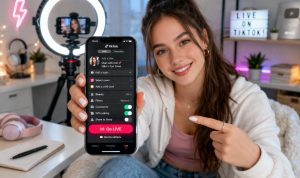
Once TikTok enables LIVE on your account, starting a stream only takes a few seconds. The process is similar on both iPhone and Android devices.
Open the app and tap the plus button at the bottom of the screen. Then swipe through the posting options until you see LIVE. If the option appears, you are ready to begin. Before you start, TikTok lets you customise the session.
You can:
- Add a title
- Choose filters or effects
- Turn comments on or off
- Select moderators
- Set a LIVE goal
A short, clear title usually works best because it tells viewers what your stream is about. After that, tap “Go LIVE” and your broadcast will begin.
During the stream, viewers can leave comments, send reactions, and in some cases send gifts. If you are over 18, those gifts can later be converted into earnings.
How Can You Go Live on TikTok From a Phone or Computer?
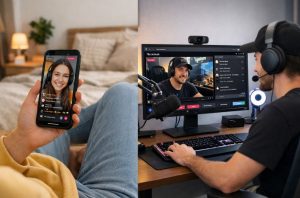
Most TikTok users start with mobile LIVE because it is the fastest and simplest option. If the feature is enabled on your account, you can begin streaming in just a few taps.
For users who want more control, TikTok also offers desktop streaming through LIVE Studio, though this is not available to everyone.
The main difference is that phone streaming is designed for quick, informal broadcasts, while desktop streaming suits gaming, tutorials, presentations, and more polished sessions. Before choosing either option, make sure your account already has LIVE access.
If the LIVE button is missing, the process will not work on mobile or desktop. Once access is available, the steps are straightforward, but the setup and experience are slightly different depending on the device you use.
How Do You Go Live on TikTok Using an iPhone or Android Device?
Going live on TikTok from a phone is the easiest way to start because everything happens inside the app. You do not need extra software, and the setup only takes a minute if LIVE is already unlocked on your account.
Here is the step by step process:
- Open the TikTok app and sign in to the account that has LIVE access
- Tap the plus icon at the bottom of the screen
- Swipe through the content options until you reach LIVE
- Add a short title that clearly tells viewers what the stream is about
- Adjust any available settings, such as comments, filters, or moderation tools
- Check your camera angle, lighting, and internet connection
- Tap Go LIVE to begin the broadcast
Before starting, it helps to prepare a basic plan. Think about what you want to talk about, how long you want to stay live, and whether you want viewers to ask questions.
Phone streaming is especially useful for casual chats, behind the scenes content, quick updates, and direct audience interaction.
It also feels more personal because you can move around easily and respond to comments in real time. A stable connection is important, since a weak signal can affect video quality or interrupt the stream.
How Do You Use TikTok LIVE Studio on a PC?
TikTok LIVE Studio is the desktop option for users who want a more professional setup. It is mainly used for screen sharing, gaming, tutorials, and streams that need better sound and video control.
You cannot usually go live from a normal browser window, so LIVE Studio is the main route for PC streaming when TikTok allows it.
Here is the step by step process:
- Download TikTok LIVE Studio from the official TikTok source
- Install the software on your computer
- Open the program and sign in with the same TikTok account that has LIVE access
- Complete any setup prompts shown on screen
- Connect your webcam, microphone, or headset
- Choose whether you want to show your camera, your screen, or both
- Add your stream title and review your broadcast settings
- Test your audio and video before starting
- Press the button to begin your LIVE stream
This setup gives you more flexibility than mobile streaming. You can organise your screen layout, improve audio quality, and create a cleaner viewing experience for your audience.
That is why many creators use it for tutorials, product demonstrations, gameplay, or live presentations. It takes a little more preparation than going live on a phone, but it can make the stream look more polished and easier to manage.
Why Is TikTok LIVE Studio Not Available to Every Account?
Many users assume that once they can go live on TikTok, they should also be able to use LIVE Studio on a computer. In practice, that is not always how TikTok works. Mobile LIVE access and desktop LIVE Studio access are related, but they are not always unlocked at the same time.
TikTok appears to roll out LIVE Studio gradually, which means some accounts receive it earlier than others. Even if you meet the usual follower and age requirements, desktop access may still be missing.
Common reasons may include:
- TikTok has not enabled LIVE Studio for your account yet
- The feature is still being rolled out in your region
- Your account only recently gained LIVE access
- TikTok may prioritise certain account types or content categories
- Previous account issues may affect eligibility
If LIVE Studio is unavailable, the best approach is to keep using mobile LIVE and continue building a healthy account.
Regular posting, strong engagement, and a good account history may improve your chances of getting desktop access later. For many creators, LIVE Studio appears after they have already spent some time using TikTok LIVE successfully on their phone.
Why Is the TikTok LIVE Option Missing From Your Account?
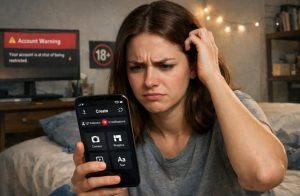
If the LIVE button is missing, it usually means your account has not met one of TikTok’s requirements. The most common reason is that you have not yet reached 1,000 followers.
Other common reasons include being under 18, entering the wrong birth date, or having a recent account warning. TikTok can also delay LIVE access in some regions, even if you meet every requirement.
In some cases, the feature simply takes time to appear. Many users report waiting several days after reaching the follower threshold before the LIVE option finally shows up.
Technical problems can also affect access. Updating the app, logging out, and checking your account settings may help. If the problem continues, you can contact TikTok through the support section in the app.
What Can You Do If You Cannot Go Live on TikTok Yet?
If you still cannot go live, the best thing to do is focus on growing your account naturally. TikTok rewards active users who create useful or entertaining content consistently.
Try to:
- Post every day
- Reply to comments
- Use relevant trends
- Share short videos that solve a problem
- Avoid fake followers or spam tactics
Buying followers may look like a quick solution, but it often creates problems later. Fake followers rarely interact with your content, which can make your account appear suspicious.
You can also try using the support request method inside the app. Go to Report a Problem and explain that you cannot access LIVE even though you believe your account qualifies.
Keep in mind that there is no guaranteed shortcut. TikTok usually grants LIVE to accounts that appear trustworthy, active, and safe for viewers. If you continue creating content and stay within the rules, the feature will usually appear over time.
Conclusion
Most users need 1,000 followers and must be at least 18 years old before they can go live on TikTok. Even so, TikTok sometimes gives earlier access to selected accounts through regional tests, strong engagement, or account history.
If you have already reached the requirement but still cannot see the LIVE button, do not panic. Check your age settings, make sure your account has no recent violations, and give TikTok a few days to update your profile. If needed, use the support option in the app.
The best long term approach is to keep growing your audience naturally. Regular content, real engagement, and a healthy account give you the strongest chance of unlocking TikTok LIVE sooner.
FAQs
Can you go live on TikTok with 500 followers?
Some users report receiving LIVE access with 500 followers. Most accounts still need around 1,000 followers.
Do you need 1,000 followers in the UK too?
Yes, most UK users still need 1,000 followers. TikTok may test different limits for some accounts.
Can you go live on TikTok if you are under 18?
No, TikTok usually requires users to be 18 years old. Younger users cannot normally host LIVE streams.
How long does TikTok take to unlock LIVE after 1,000 followers?
Some accounts unlock instantly after reaching the target. Others may need to wait a few days.
Can TikTok remove your LIVE access later?
Yes, TikTok can remove LIVE access after rule violations. This often happens when accounts break community guidelines.
Can you stream from a browser instead of the app?
No, TikTok does not currently support browser streaming. You need the app or LIVE Studio.
Is it worth contacting TikTok support about LIVE access?
Yes, some users have successfully unlocked LIVE through support. There is still no guarantee that it will work.